
What Is a Court Docket in Wagoner County
In Wagoner County, a docket is the chronological list of events the Court Clerk records for a single case. Each line on that list is a docket entry, and every entry marks something that happened on a set date. A docket entry usually names the event, such as a petition, a motion, an order, a hearing setting, a continuance, a plea, or a judgment. It shows the date the event was entered, the party or attorney behind it, and often a short code or label for the document. Read top to bottom, the docket tells the story of a case.
The docket is an index, not the paperwork itself. It points to the filings and orders in a case, but the signed documents, exhibits, and transcripts sit in the case file the clerk keeps.
Dockets matter because they change as a case moves. A new filing, a reset hearing, or a final disposition shows up as a fresh entry. That makes the docket the quickest way to check whether anything has happened since the last time someone looked. For most district court cases in the county, the docket is also free to view online.
Look Up Wagoner County Court Dockets
Wagoner County points the public to two official lookup tools. On Demand Court Records, known as ODCR, is linked from the county Court Clerk page for public case viewing. The Oklahoma State Courts Network, or OSCN, carries district and appellate dockets across the state. Both tools let a person search by party name or case number, then open a case to read its docket entries, hearing dates, and times. The county's own instructions describe each path in plain steps.
To search a Wagoner County docket on ODCR, follow these steps.
- Open the ODCR portal and choose the court group, then select Wagoner from the court list.
- Enter a party name in Last, First format, or type the full case number.
- Press Search to return the matching cases.
- Click a case to view its docket updates, hearing dates, and times.
The OSCN docket search works in a similar way and reaches the same district court cases. The county Helpful Tools page lays out the OSCN steps below.
- Open OSCN and select Case Search.
- Enter the party's last name, then add the first name to narrow the results.
- Scroll down and press GO.
- Select the case to view docket updates, hearing dates, and times.
ODCR states that public searching is free and unlimited for the courts that publish to it. Free features include searching all courts, partial name searches, case number searches, and filed date range searches, along with full court docket information. A basic Wagoner County docket lookup can be done without a paid subscription, though some document downloads or advanced features may vary.
Note: Online dockets can lag behind the counter, so call the Court Clerk at 918-485-4508 when a recent filing or hearing change does not yet appear.
What a Wagoner County Docket Entry Shows
A docket page packs several fields into a compact view. Some fields describe the case as a whole, while others belong to a single dated entry. The list below reflects the labels and content the public can expect from ODCR and OSCN docket pages for Wagoner County District Court cases.
| Field | What It Shows |
|---|---|
| Court and County | Whether the case sits in Wagoner County District Court or another court. |
| Case Number | An Oklahoma case number, often with a type prefix such as CF, CM, CV, FD, PB, PO, SC, or TR, plus the year and a sequence number. |
| Parties | Plaintiff and defendant in civil cases, State of Oklahoma and defendant in criminal cases, or petitioner and respondent in family and protective order matters. |
| Filing Date | The date the case was opened with the Court Clerk. |
| Judge and Courtroom | The assigned judge and courtroom, as listed on the county courts page. |
| Docket Entry | Each filing, order, hearing setting, continuance, judgment, warrant, or minute order, listed by date. |
| Hearing Date and Time | Scheduled court settings, which the county says a clicked case will display. |
| Charges and Counts | In criminal cases, the filed charges, statute references, amended counts, pleas, and sentencing terms once entered. |
| Financials | Fines, court costs, bonds, restitution, and payment plan activity. |
| Documents | Links to certain filed documents when the court makes them viewable, with protected material withheld. |
Courts That Publish Dockets in Wagoner County
Not every court in the county posts its dockets to the same place. District court cases flow through the statewide systems, while city courts keep their own dockets. Knowing the venue tells a searcher which tool will actually hold the case.
- Wagoner County District Court, which handles civil, criminal, family, probate, protective order, small claims, and state traffic matters, with dockets on ODCR and OSCN.
- Wagoner Municipal Court, which handles City of Wagoner ordinance and local traffic cases, scheduled through the city court clerk and not posted on ODCR or OSCN.
- Broken Arrow Municipal Court, which handles traffic and misdemeanor offenses charged under that city's ordinances.
- Oklahoma appellate courts, including the Supreme Court, the Court of Criminal Appeals, and the Court of Civil Appeals, with dockets viewable on OSCN.
Venue is the key point. District court records are searched on ODCR and OSCN and requested in person from the Court Clerk on the first floor of the courthouse, or by phone at 918-485-4508. City of Wagoner citations and city-code cases run through Wagoner Municipal Court, where no unscheduled appearances are allowed and a defendant must email or write the court clerk to be placed on a docket. The OSCN docket search also covers District Court traffic citations, but it does not search municipal citations, so a city ticket will not appear there. For city-level matters, the Wagoner County traffic court records path explains the municipal payment and scheduling channels.
Judges and Courtrooms for Wagoner County Dockets
District court dockets in the county are organized by judge and courtroom. The Wagoner County courts page names three judicial officers and the courtroom each one uses. When a docket shows a hearing setting, it ties that setting to the assigned judge and room.
| Judge | Role | Courtroom |
|---|---|---|
| Hon. Doug Kirkley | District Judge | Courtroom 1 |
| Hon. Rebecca Hunter | Associate District Judge | Courtroom 2 |
| Hon. John David Luton | Special District Judge | Courtroom 4 |
Each judge works with a bailiff and a court reporter who help manage the docket and the record of proceedings. Hearing settings, continuances, and rulings all appear as docket entries under the case assigned to that courtroom. The same county page also lists direct phone numbers for the specialty programs, such as Adult Drug Court, Mental Health Court, and Community Sentencing, whose review settings can show up on a criminal docket.
How Dockets Differ From Full Case Files
A docket and a full case file are not the same thing. The docket is the list of events, short and quick to scan. The full case file is the stack of actual documents behind those events, including motions, signed orders, exhibits, and transcripts. A docket entry might read that a motion was filed on a certain date, while the case file holds the motion itself.
Online dockets are usually free and open, which makes them the fastest way to track a case. The complete file can take more work to reach. Under OCCA Rule 2.6, some filed documents may be viewable on OSCN or ODCR, but protected materials are withheld, and older or non-digitized files may not be online at all.
When the full paperwork is needed, the Court Clerk is the source of truth. Older estate files, non-digitized cases, and certified copies are requested in person at the first-floor counter or by mail. For a wider view of how to pull complete files and what each record type contains, the Wagoner County court records page covers the in-person and request channels.
Paying Fines on a Wagoner County Docket
Many criminal, traffic, and civil dockets carry financial entries for fines, court costs, bonds, and payment plans. Some of these can be paid online without a trip to the courthouse. The state runs an electronic payment system for District Court cases that ties a payment directly to a case on the docket.
The terms and scope of the system are explained on the OSCN e-payments page, which covers District Court cases and payment plans.
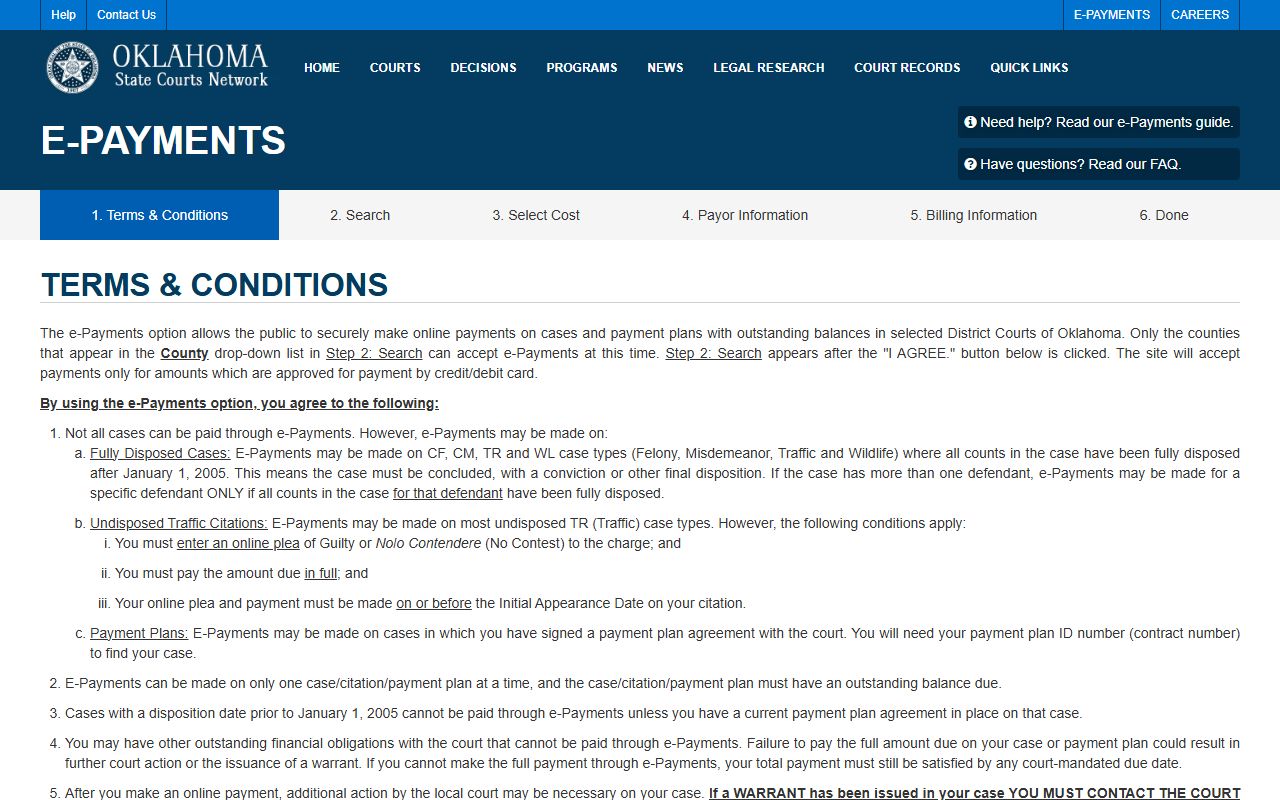
The page sets out who can pay online and which case types qualify, so a person can confirm eligibility before sending money. Once the terms are accepted, the system asks for the information that links the payment to the right docket.
That next step is the OSCN payment search, which requires a case number, a citation number, or a payment plan number.
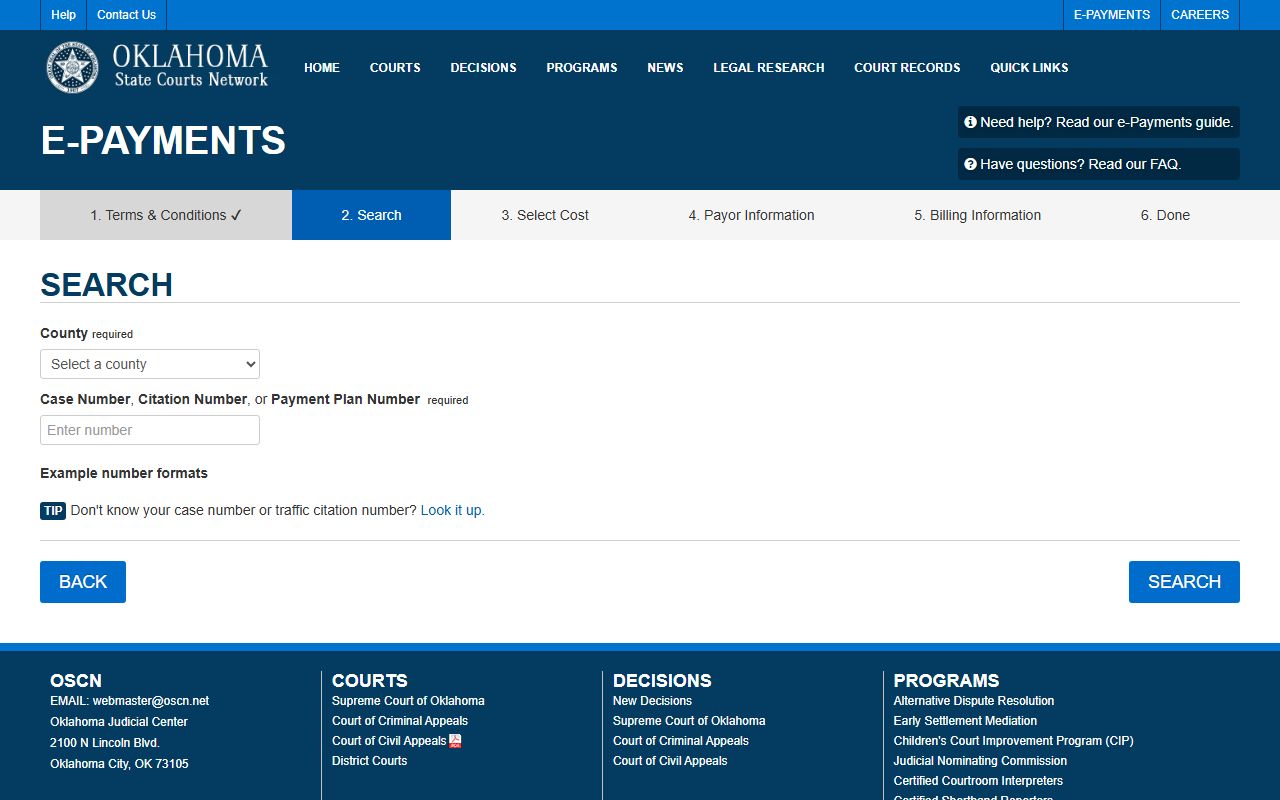
Pulling the case or citation number off the docket first avoids a misapplied payment. ODCR also supports online payment on eligible cases, including fully disposed traffic, felony, and misdemeanor matters. For undisposed traffic citations, ODCR accepts payment when the user enters a guilty or no-contest plea on or before the first appearance date.
Criminal Dockets in Wagoner County
Criminal dockets begin once the District Attorney files a case. Wagoner County is part of District Attorney District 27, which also serves Adair, Cherokee, and Sequoyah Counties. The prosecutor's filing decision is what turns an arrest into a court case with its own docket of charges, hearings, and dispositions.
The county's District 27 District Attorney page describes the office mission and its divisions, including a Make A Payment option for fines and restitution.
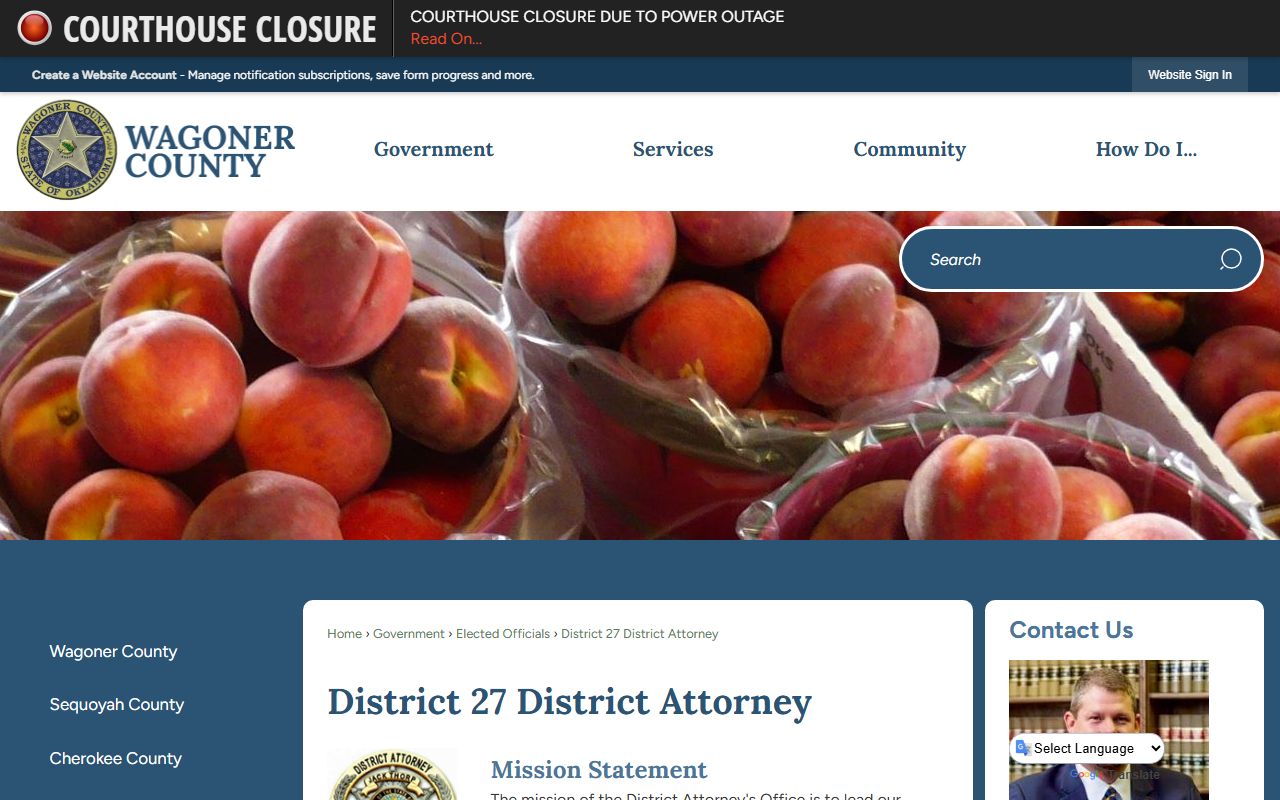
A criminal docket shows the State of Oklahoma as the charging party, the filed counts and statute references, arraignment and plea entries, bond settings, and the final disposition and sentence. An arrest or booking charge can read differently from the filed count, because the prosecutor may amend, reduce, or drop charges as the case moves. The docket is where those changes are tracked over time.
When Dockets Differ From the Official Record
An online docket is a convenience copy, not the legal record. OCCA Rule 2.6 states that the OSCN online database does not replace the courts' case-management systems. If the online entry and the official record disagree, the court relies on the case-management-system record, not the web page.
This matters most when timing or money is on the line. A hearing date, a bond amount, or a disposition should be confirmed with the Court Clerk before anyone acts on it. The clerk's counter holds the controlling record and can verify what an online docket shows.
Rule 2.6 also shapes what appears at all. It tells filers to limit Social Security numbers, financial account numbers, driver's license numbers, dates of birth, and addresses, and to flag protected materials before filing. Sealed and expunged matters may show no result, so a blank search does not always mean a case never existed.
Note: For sealed, juvenile, or expunged matters that do not appear online, confirm status with the Court Clerk rather than assuming the record is open or gone.